Dialed GG Color
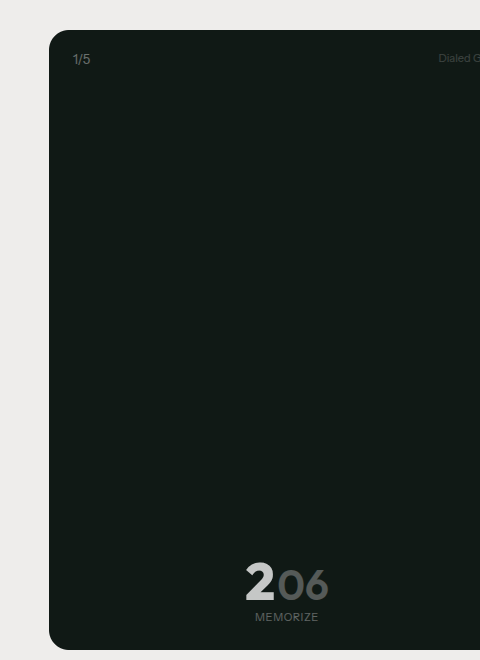
Dialed GG Color is a free visual memory game that runs in your browser. The game shows you a color, gives you a few seconds to study it, then takes it away. Your job is to rebuild that exact color using three sliders that control hue, saturation, and brightness. Five rounds, five colors, and a total score from 0 to 50 that tells you how accurate your visual memory actually is.
The game works on phones, tablets, and desktop computers. There is nothing to install and no account to create. You can play as many times as you want, compare your results on a global leaderboard, and share a challenge link so others can try the same set of colors you played.
Playing the Colour Match Game
When you start a round in Dialed GG Color, a single color fills the screen. You have a few seconds to look at it before it disappears. Then three sliders appear: one for hue, one for saturation, and one for brightness. You drag each slider until the color on screen looks like the one you were shown.
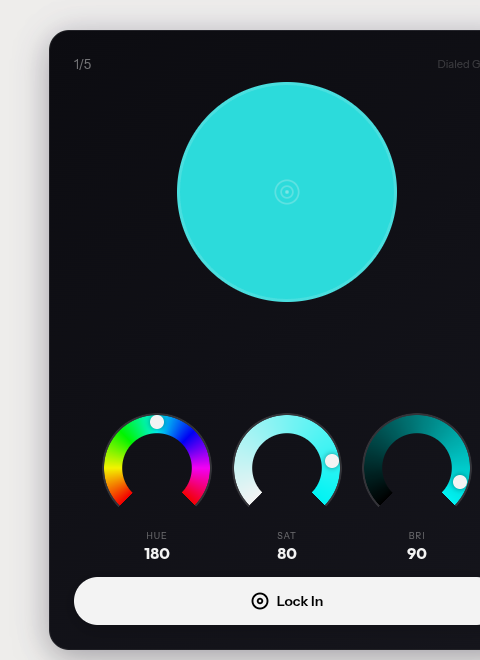
Hue determines the base color on the spectrum, from red through orange, yellow, green, cyan, blue, violet, and back to red. Saturation controls how vivid or muted the color looks. Brightness sets how light or dark it appears. All three properties work together, so getting two right and one wrong can still result in a color that looks completely different from the target.
The challenge in this colour match game is that your memory of a color shifts rapidly once the original disappears. Research on visual working memory suggests that color representations start degrading within the first second after the stimulus is removed. By the time you begin adjusting sliders, the image in your mind has already started to drift. You might remember that the color was a warm orange, but whether the saturation was at 60% or 80% becomes much less certain.
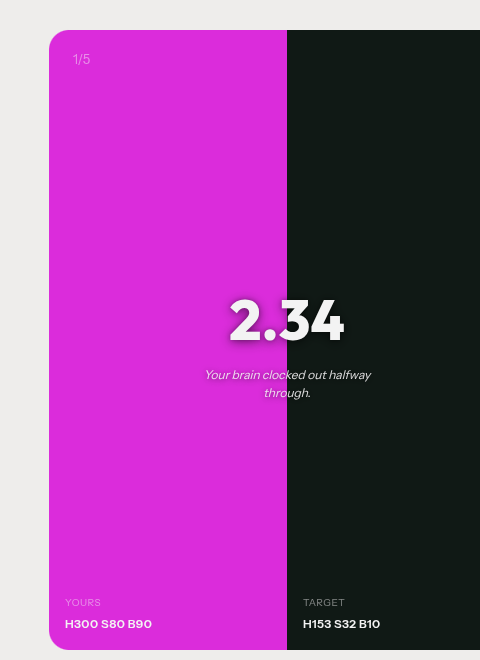
Each round is independent. The game generates a new random color for every round, so no two sessions are identical. After finishing all five rounds, you see your individual scores and a combined total.
How Color Memory Works in Your Brain
When you look at a color in the Dialed GG colour game, your retina converts the light into signals that travel to the visual cortex. Three types of cone cells in your eye respond to different wavelengths, roughly corresponding to red, green, and blue. Your brain combines these signals to produce the perception of a single, unified color.
This initial perception is vivid and detailed, but it belongs to a type of memory called iconic memory, which lasts only a fraction of a second. After that, the information moves into visual working memory, where it can persist for several seconds. However, working memory has limited capacity. Studies estimate that most people can hold three to four distinct color values in working memory simultaneously. In a one colour game like Dialed GG Color, you only need to remember one color at a time, which should make it easier. But even with only one color to track, the precision of your recall drops quickly.
The hue component tends to be remembered better than saturation or brightness. If you see a blue, you will likely remember it as blue and not confuse it with green. But the specific shade of blue, how vivid it was, and how dark or light it appeared become harder to pin down. This is why your scores in Dialed GG Color often depend more on how well you recall saturation and brightness than on getting the base hue right.
Practice changes these thresholds. Players who return to the colour match game regularly report measurable improvement within their first ten sessions. Color discrimination training has been studied in lab settings, and the results consistently show that repeated exposure to matching tasks sharpens the visual system over time.
Easy Mode and Hard Mode in Dialed GG Colour
The Dialed GG colour game offers two difficulty settings. In easy mode, the target colors tend to be more saturated and more distinct from each other. The differences between rounds are larger, which gives your memory clearer reference points. Most first-time players score between 30 and 38 out of 50 in easy mode.
Hard mode removes those guardrails. Target colors can be subtle pastels, dark near-blacks, or desaturated grays that are difficult to distinguish from each other. The color space that the game draws from is wider, and the targets are distributed more evenly across it. This means you might see a muted olive green followed by a dim lavender, both of which are hard to hold in memory because they lack the strong saturation signals that your brain anchors to.
Switching between modes does not change the scoring formula. A perfect match in hard mode earns the same 10 points as a perfect match in easy mode. The difficulty comes entirely from the targets themselves, and most players see their total score drop by 8 to 12 points when they move from easy to hard.
How Colour Matching Is Scored
Dialed GG Color scores each round from 0.00 to 10.00 based on the distance between your guess and the target color. The scoring model treats hue, saturation, and brightness as three independent axes and calculates a weighted distance across all three.
Hue is measured on a circular scale from 0 to 360 degrees, so the distance wraps around. Being 10 degrees off on hue counts the same whether you overshoot to the left or undershoot to the right. The scoring gives hue the highest weight because even a small hue error can change the perceived color family entirely. Missing the target hue by 30 degrees might mean showing orange instead of red.
Saturation and brightness errors are weighted slightly lower but still contribute meaningfully to your final score. Getting the hue right while overshooting saturation by 25% will still cost several points. The combined distance is converted to a 0 to 10 score using a curve that rewards close guesses generously and penalizes large errors sharply.
All five rounds use the same formula. Your total score across a complete game of Dialed GG Color ranges from 0 to 50, and the global leaderboard ranks players by this total, split by easy and hard mode.
Screens and Devices
The colours you see in the one colour game depend partly on your screen. An OLED phone displays colors differently from a laptop LCD, and a desktop monitor calibrated for photo editing will render the same values with more precision than a budget tablet. Dialed GG Color works on all of these devices, but your experience may vary depending on your display.
On phones, the game uses full-screen touch sliders that respond to vertical and horizontal drags. The hue slider runs along the full color spectrum, and the saturation and brightness sliders update the preview color in real time as you adjust them. The touch targets are large enough for comfortable use on screens as small as 320 pixels wide.
On desktop, the same sliders work with mouse input. The larger screen gives you a better view of the color preview, which can make it slightly easier to judge whether your current selection matches what you remember. Players using desktop monitors tend to score 2 to 3 points higher on average compared to phone players, though screen size alone does not explain the entire difference.
Improving Your Colour Match Scores
Getting better at Dialed GG Color comes down to two things: training your eye to read color properties more precisely, and developing a consistent strategy for the adjustment phase.
Start with hue. When the target color appears, try to identify which section of the color wheel it belongs to before anything else. Name it internally: warm red, cool blue, yellow-green. This verbal label acts as an anchor that persists in memory longer than the raw visual impression. When the sliders appear, go to that region of the hue strip first.
Next, pay attention to saturation. Ask yourself whether the color is vivid or muted. A saturated red looks intense and electric. A desaturated red looks dusty or washed out. Most players overshoot saturation because vivid colors feel more memorable, even when the actual target was relatively muted.
Finally, adjust brightness. Brightness errors are the most forgiving in terms of scoring, but large misses still affect your total. A common mistake in the colour match game is to match the hue and saturation correctly while setting brightness too high, which makes the color appear washed out compared to the original.
Playing the Dialed GG colour game in a room with consistent lighting also helps. Screen brightness and ambient light both affect how you perceive colors, so reducing those variables gives your memory a more reliable baseline to work from.
Questions About Dialed GG Color
How is Dialed GG Color different from the sound game?
The Dialed GG colour game tests visual memory instead of auditory memory. You see a color and try to recreate it using hue, saturation, and brightness sliders. The sound game plays a tone and asks you to match its frequency. Both score from 0 to 50 across five rounds.
Does color blindness affect my scores?
It may. If you have difficulty distinguishing certain hues, those rounds will be harder. The game does not currently offer a color blindness mode, but the scoring model measures distance in HSB space, so players who are accurate on saturation and brightness can still score well even with hue perception differences.
Can I play the same colors as a friend?
Yes. After finishing a game, you can copy a challenge link. Your friend will see the exact same five colors in the same order. Their scores appear alongside yours so you can compare round by round.
Does screen brightness matter?
It can affect how you perceive colors. If your screen is very dim, dark colors will be harder to distinguish from black. If it is very bright, pastel colors might look washed out. A moderate brightness setting in a room without strong colored lighting gives the most consistent results.
What is a good score on this one colour game?
Scores vary widely. First-time players typically land between 25 and 35 out of 50 in easy mode. Experienced players who have practiced regularly can reach 40 or above. Anything over 45 out of 50 puts you in the top percentile on the global leaderboard.
Is there a daily mode?
Yes. The daily mode gives every player the same five colors for that day. You can play it once per day and compare your results against everyone else who played the same set.